|
 Calendar Module
A program which enables
the user to record events and appointments in an orderly
fashion. |
Time is one
of our most precious commodities. Of all of our assets,
time is probably the most valuable and also has the highest
demand. Planning and scheduling can help us to manage
our time better. The SalesStrat Calendar module provides
tools for doing just that.
- Appointments: Schedule
one-time meetings and appointments, such as a client
visit, doctor appointment, or dinner plans.
- To Do List: Create
a To Do list with tasks to complete each day. Cross
them off the list as tasks are done, or carry uncompleted
items over to the next day.
- Call List: Keep track
of personal phone calls to make or return, or list
sales calls that need to be made or scheduled.
- Multi-Day Events:
Block off your calendar several days at a time for
a vacation or the national sales conference.
- Special Days: Record
special days on the calendar to serve as a reminder
of friends’ and relatives’ birthdays and
your anniversary. Set them to repeat every year or
every month if needed.
With four different views, shown below, SalesStrat will
allow the user to review their schedule on any level.
|
Day
View
|
| In the
Day View, the SalesStrat user can view their
daily schedule in a customizable time increment.
A month calendar is shown at the top and kept
handy for the user, while an hour-by-hour
detail of the current date is shown below.
The salesperson can create To Do lists and
keep track of calls they need to make, then
“check” them off the list as tasks
are accomplished each day. |
|
|
Week
View
|
In the
week view, the salesperson can view their
schedule of appointments, meetings, and calls
one week at a time. This view is good for
scheduling meetings in advance, giving the
SalesStrat user a quick overview of what their
week looks like.
The user can add or edit items on their schedule,
including meetings, appointments, and their
To Do list, one day at a time. Three mini-calendars
for the previous, current, and subsequent
month are shown at the top so that the user
may switch between weeks and make long-term
plans quickly. |
|
|
Month
View
|
In the
month view, the salesperson can view their
calendar on a month by month basis. They can
quickly see dates that are blocked off for
travel and what time appointments are scheduled.
This can provide an overview of the month
at a glance.
As in the Weekly view, the user can add or
edit items on their schedule, including meetings,
appointments, and their To Do list, one day
at a time. Three mini-calendars for the previous,
current, and subsequent month are shown at
the top so that the user may switch between
months and make long-term plans quickly. |
|
|
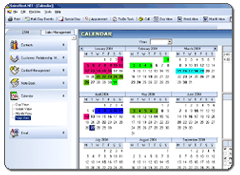
Year
View
|
In the
year view, the SalesStrat user can view their
calendar one year at a time. Dates that have
been blocked out for travel or multi-day events
are highlighted with a colored block. Other
dates that have either a meeting, call, or
other appointment scheduled are shown in bold.
At a glance, the salesperson can view their
engagements twelve months at a time. This
makes scheduling future business trips, vacations
or conferences quick and easy. |
|
|
| Back
to CRM Modules |
<<Back
| Next>> |
 |
|